
Busted! 5 Common Office Ergonomic Misconceptions
Let’s face it: most of us spend much of our days sitting at desks, typing on keyboards, and staring at screens. So, it makes sense to get our offices set up just right to avoid aches & pains. But a lot of what people believe about office ergonomics could actually be doing more harm than good.
1. Sitting Upright Without Back Support Is Best
We’ve all been told to “sit up straight” as if perfect posture means a rigid, upright spine. The truth? Sitting upright without any back support can strain your whole back, neck, and shoulders, and cause discomfort over time. Sitting without support can strain your muscles and cause you to slump from fatigue.
So, get a chair with a backrest. And your back needs curved lumbar support to protect your lower back and your spinal discs. So, instead of battling to stay stiff and upright, invest in a good chair with solid lumbar support to keep your spine happy.
2. Keep Your Keyboard and Mouse Low and Close

Many believe the keyboard and mouse should be as low and close as possible to avoid reaching. Working with free-floating arms without forearm support has been a long-standing ergonomic recommendation based on previous research and equipment.
According to both Applied Ergonomics and the National Institutes of Health (NIH), the current best practice recommendation based on newer research and modern equipment is to work with desktop forearm support. To work with desktop forearm support you need to sit very close to the desk with 2/3 or more of your forearms on the desktop. Adjust the height of your desk so that it supports relaxed shoulders, not pushing your shoulders up, or making you lean down to the desk.
Working with desktop forearm support will off-load the 8-18 lb. weight of each arm from your neck, shoulders, and upper back. In addition, this positioning protects your wrists by keeping them far from the desk edge. Make sure that you have a desktop with enough depth so that you can be supported and work comfortably. Comfort beats superstition!

3. Monitors Should Be High Up
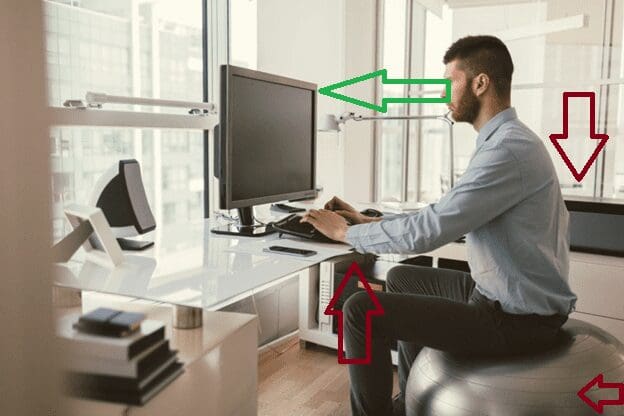
Here’s a classic: cranking your monitor up so it’s as high as possible. While it might feel like you’re keeping your neck straight, having your screen too high can actually cause neck strain as you lift your chin and tilt your head back.
Occupational Safety and Health Administration (OSHA) says best monitor height is with the top edge of the monitor roughly eye level or slightly below, so your gaze naturally falls on the top third of the screen. This keeps your neck relaxed and your eyes comfortable.
4. Standing More Than Sitting Is Inherently Better
Sit-stand desks have become all the rage, while standing can be beneficial, doing it all day isn’t the solution either. Just like sitting too long isn’t good, standing too much can cause fatigue, leg discomfort, and even joint issues. In addition, according to one study in the American Journal of Epidemiology, prolonged occupational standing results in rates of heart disease similar to daily smokers. Further, those who mostly stand during the day had a 2-fold risk of heart disease compared to those who mostly sat. While most of us already know that too much sitting is bad, too much standing is also bad.
The key is to find a balance, switch between sitting and standing, and move around regularly. Listen to your body’s cues instead of following a “sit less, stand more” mantra blindly.
5. Wrist Rests Are Ergonomic
Wrist rests are often sold as must-have ergonomic fixes, but they don’t always help as much as you’d think. In fact, using one while typing can sometimes do more harm than good. It can encourage you to press down on your wrists or pivot from them, which may put extra pressure on your nerves and lead to discomfort. They’re actually better used when you’re taking a break, not as something to lean on the whole time you’re typing.

Focus more on keeping wrists straight and your hands floating comfortably over the keyboard rather than planting your wrists.
What about mouse wrist rests? In general, they are worse than keyboard wrist rests. When using a thick keyboard, a wrist rest close to the keyboard may be helpful. When using a mouse, a padded wrist rest usually leads to wrist contact stress and anchoring. Anchoring is when you plant your wrists on the rest and then pivot your wrists side to side; as opposed to moving your lower arm with straight wrists.
The better solution is to work with desktop forearm support so that your wrists are far from the desk edge and protected. If you like your wrist rest mouse pad, you can rotate it 90-180-degrees to alleviate contact stress.
Office Ergonomics… At the End of the Day
Ergonomics isn’t about rigid rules, but about understanding what works best for your body. By correcting these common misconceptions, you can create a workspace that truly supports your health and productivity.
Contact us for more information and support to move your workstation set up to best practice ergonomics.
