

Why Your Multiple or Large Monitors Might Be Giving You a Sore Neck
If you’ve recently upgraded your office workstation with multiple or large monitors, you may find yourself rubbing your neck or blinking away eye strain. According to the Human Factors and Ergonomics Society (HFES) and the American Optometric Association, you’re not alone.
We are unpacking a surprisingly common problem: the ergonomic woes linked to multiple and large monitor setups. Spoiler alert: more and bigger isn’t always better when it comes to screens, especially if your desk doesn’t match the larger screens.
The Great Monitor Dilemma: Does More Screen=More Strain?
There’s a modern office dilemma lurking on desks everywhere. On one side, you have the compelling lure of multiple or large monitors. These glorious screens promise productivity boosts and a panoramic view of your workflow. On the other hand, there’s the sneaky discomfort creeping in: neck pain, eye fatigue, and poor posture. What gives?
It all boils down to our body’s design, specifically how our eyes and neck move to take in visual information. Our eyes can naturally scan a range of angles without moving our heads, but only up to a point. Once you push beyond those comfortable angles, like stretching your gaze too far left or right, or craning your neck upward, the strain kicks in.
Picture your workspace: multiple wide monitors placed on a shallow desk. To see the edges of each screen clearly, your eyes dart side to side, but more importantly, your neck rotates far to the side. And upward eye motions? Those become uncomfortable fast, causing you to lift your chin, open your eyes too wide (hello, dry eyes!), and tire out the muscles supporting your head.
The Desktop Depth Disconnect
Here is where design and ergonomics part ways. As desktops have been getting shallower, monitors have been getting larger. Most shallow desks, are less than 27-28” deep. They just aren’t built to work with sprawling multiple or large monitors. In these setups, people face a choice between sitting too close, creating eye fatigue and excessive neck twisting. Or too far from the desk edge, leading to leaning and/or reaching forward. Neither option wins the comfort contest.
Simply put, positioning large monitors side-by-side on a compact desk is asking for trouble. The spatial mismatch forces awkward postures that over time can morph into chronic neck pain and eye strain.
Using multiple or large monitors on deeper desktops can be less problematic. With a deeper desk it’s easier to work in proper alignment with better viewing distance. But when screens are too large and/or too high, uncomfortable working postures will still appear. And this isn’t just theoretical; it’s showing up in more and more office spaces and is uncovered during ergonomic assessments.
Is This “Contagious”? The Trend Effect on Screen Size
Why do so many of us end up with multiple giant screens anyway? Sometimes it comes down to desire and influence. People wanting the latest tech toys, mimicking colleagues, or buying into the myth that more screens equal more productivity. While extra screen real estate can be a boost in certain jobs, it’s not a one-size-fits-all solution.
Before adding another monitor or upgrading to the largest display money can buy, it’s worth pausing to ask: is it necessary? And if so, do your desk and chair support the setup in a way that won’t compromise your working comfort and health?
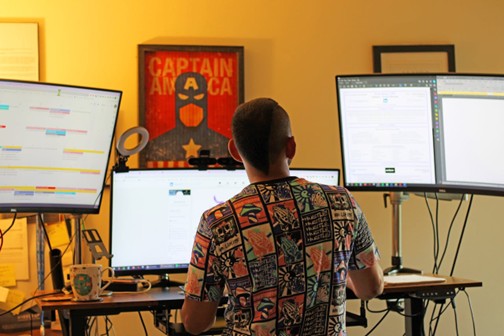
Bigger Isn’t Always Better
Ergonomics and tech upgrades aren’t always aligned. Sometimes multiple or large monitors can be great tools, but they require thoughtful integration into your physical workspace. Otherwise, you might trade a potential productivity gain for long-term discomfort.
Next time you or your workplace considers a display upgrade, think about the full picture, not just inches and pixels but also neck postures and eye health. Sometimes, the best upgrade is the one that protects you from pain down the line.
Reach out to us for more information about the nuances of healthy monitor and workstation configuration.
